As an Amazon Associate we earn from qualifying purchases.AboutAbout TomasContactAffiliate disclosurePrivacy policy
Throw Cone

Best mini projector for iPhone: what actually plays from your phone

Updated by Tomas Lindgren. Picks from our main list, re-sorted for iPhone owners.

The short answer

Get the Aurzen D1R Air: AirPlay through Roku, official Netflix on the projector itself, and native 1080p for under $200. For battery use, the MoGo 4 Laser casts from iPhone apps over Google TV. Don't rely on screen mirroring for Netflix; copy protection usually blocks it.

What people worry about here

Can I play videos from my iPhone?

Three ways: AirPlay on Roku-based projectors, casting from apps on Google TV models, or an MFi HDMI adapter into the HDMI port. Plain screen mirroring often blacks out streaming apps because of copy protection.

No DRMAurzen's ZIP listing on what its built-in mirroring can show

Will Netflix and YouTube work without a stick?

On projectors with licensed Google TV, Roku or Samsung Tizen, yes. On plain Android boxes and mirroring-only models, often not: copy protection blocks mirrored Netflix, and some projectors can't install the official app at all.

Can't be mirroredKodak's own Luma 150 listing about Netflix and Hulu

Does it have a battery, or can I run it from a power bank?

Battery models usually last about 2.5 hours, which covers one movie. USB-C models have no battery but run from a power bank, as long as it delivers 65 W or more over USB-C PD. Phone-sized banks won't start them.

65 Wminimum USB-C PD for the D1R Air (Notebookcheck) and BOOM Air (listing)

Our picks for this

1

Best for iPhone overall

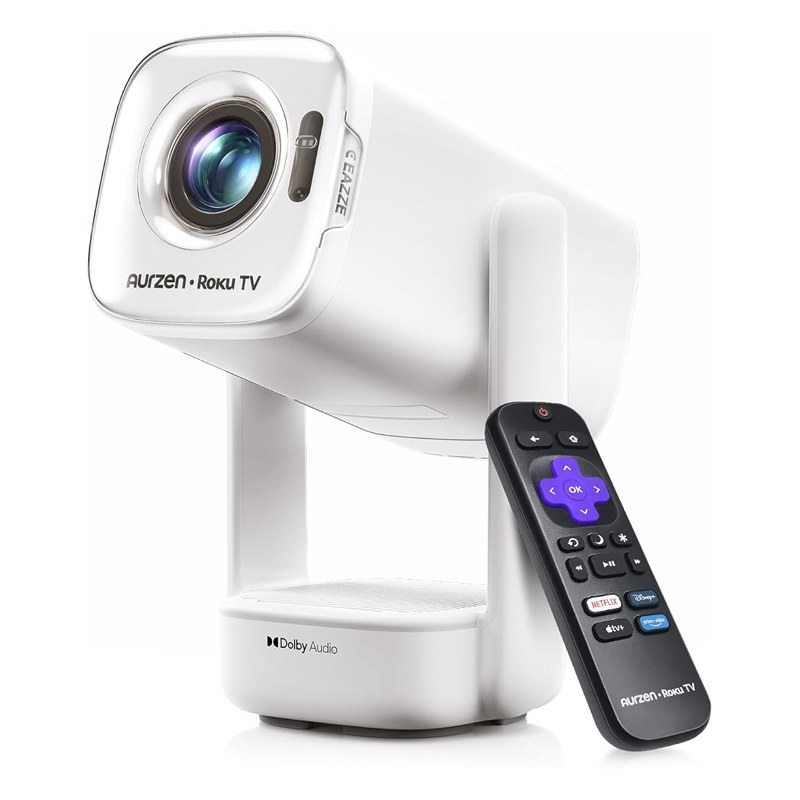
D1R Air

Aurzen Roku TV EAZZE D1R Air

Several published reviews68/100 score$100 to $250

Roku supports AirPlay, so photos, videos and many apps go straight from the iPhone, and Netflix runs on the projector itself.

Claim check
SpecListing saysIndependent sources say
Brightness300 ANSI lumens, SGS-certified to ANSI/ISO 21118Certified by SGS at Aurzen's request; no public lab measurement yet
ResolutionNative 1080pNative 1080p LCD (Android Authority launch report)
StreamingRoku TV built in, AirPlayRoku's own operating system, so Netflix and the big apps are official (CGMagazine, AndroidGuys)
PowerUSB-C poweredRuns from a USB-C power bank with 65 W or more PD output (Notebookcheck)
Buy it if you want official Netflix and AirPlay for under $200, or a first projector for a bedroom or dorm.
Skip it if you watch with a lamp on or want more than about 90 inches; the BenQ GV50's 500 laser lumens go further. See the BenQ GV50.

Sources: CGMagazine, Aurzen D1R Air review (2026); AndroidGuys, EAZZE D1R Air review (June 2026); Home Technology Review, D1R Air review (Aug 2026); Notebookcheck, D1R Air launch report (May 2026); Amazon listing data, Oct 25, 2026. Full review: on the main list.

Price band on Amazon, Oct 25, 2026: $100 to $250. Prices change daily.

Check today's price on Amazon
2

Best on battery

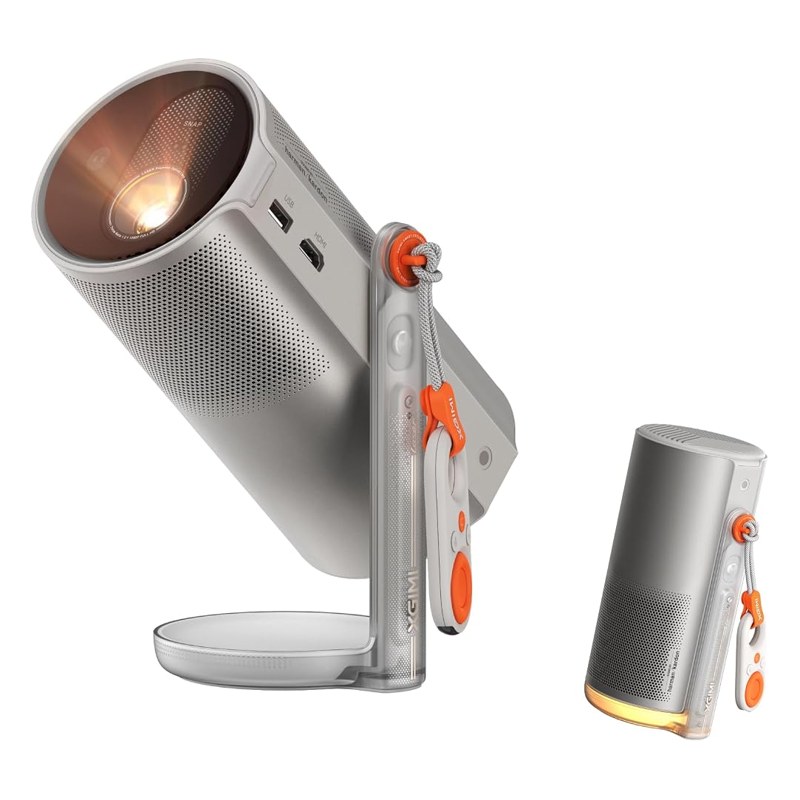
MoGo 4 Laser

XGIMI MoGo 4 Laser

Lab-tested (RTINGS)84/100 score$250 to $500

Google TV lets you cast from YouTube and other iPhone apps that show the cast button, and the battery means no outlet on the patio.

Claim check
SpecListing saysIndependent sources say
Brightness550 ISO lumens, triple laserRTINGS bought and measured it in 2026 and calls it a solid bedroom projector; its numbers are for members
Resolution1080pNative 1080p DLP (RTINGS)
StreamingGoogle TV, 10,000+ appsGoogle TV built in (RTINGS)
PowerUp to 2.5 hours on batteryLaurent Willen measured a little over 40 W in standard mode
Buy it if you want one small projector that works on battery in the bedroom, the backyard and on a trip, with streaming apps built in.
Skip it if you play fast console games; the Elfin Flip 4K handles them better, though it needs an outlet. See the Elfin Flip 4K.

Sources: RTINGS, XGIMI MoGo 4 Laser review (2026); Expert Reviews, XGIMI MoGo 4 Laser review (March 2026); Laurent Willen, XGIMI MoGo 4 Laser test (2025); Amazon listing data, Oct 25, 2026. Full review: on the main list.

Price band on Amazon, Oct 25, 2026: $250 to $500. Prices change daily.

Check today's price on Amazon
3

Best for the bedroom

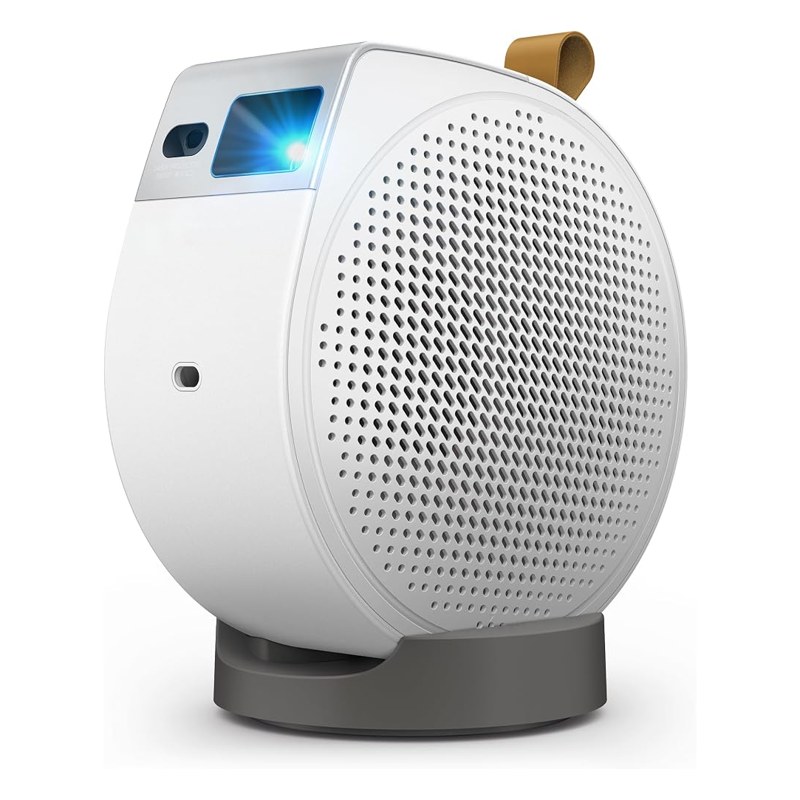
BenQ GV50

BenQ GV50

Several published reviews62/100 score$250 to $500

BenQ's listing names AirPlay alongside Chromecast, and the ceiling stand suits watching from bed.

Claim check
SpecListing saysIndependent sources say
Brightness500 ANSI lumens, laserRated by BenQ; reviewed by What Hi-Fi? and Gamereactor, not publicly measured
Resolution1080p, 4K signal supportedNative 1080p DLP (Projector Central spec page)
StreamingGoogle TV with Netflix, AirPlay, ChromecastGoogle TV with Netflix, per BenQ's launch release
PowerNot in the bulletsNo battery listed; plan on an outlet
Buy it if you want ceiling viewing from bed without a mount, official Netflix, and more bass than the usual mini speaker.
Skip it if you need battery power for trips; the MoGo 4 Laser also tilts to the ceiling and runs unplugged. See the MoGo 4 Laser.

Sources: What Hi-Fi?, BenQ GV50 review; Gamereactor, BenQ GV50 review (May 2025); BenQ launch release (Aug 2024); Adorama spec sheet; Amazon listing data, Oct 25, 2026. Full review: on the main list.

Price band on Amazon, Oct 25, 2026: $250 to $500. Prices change daily.

Check today's price on Amazon
4

Best pocket option

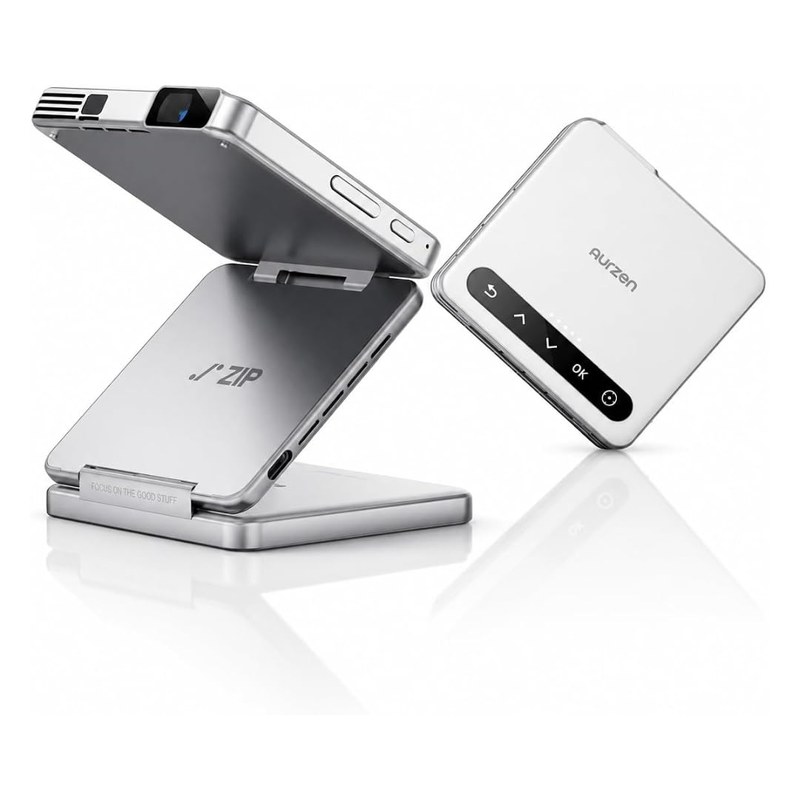
Aurzen ZIP

Aurzen ZIP Tri-Fold

Several published reviews46/100 score$250 to $500

Mirrors an iPhone directly without Wi-Fi. Fine for photos and your own videos; copy-protected streams won't show.

Claim check
SpecListing saysIndependent sources say
Brightness100 ANSI lumens, SGS-certifiedTom's Guide and The Verge reviewed it; Projector Central ranks it in its 2026 pocket projector top 10
ResolutionNative 720p, 1080p inputTom's Guide lists 720p as its main limit
StreamingMirroring with no Wi-Fi neededMirroring doesn't carry copy-protected video (The Verge, and the listing says so)
BatteryUp to 1.5 h in eco mode, 5000 mAhTom's Guide calls the battery life short
Buy it if you want a projector that lives in a bag, or one for tracing cookies, cakes and crafts.
Skip it if movies come first; the D1R Air is three times as bright at 1080p for less. See the D1R Air.

Sources: Tom's Guide, Aurzen ZIP Tri-Fold review; The Verge, Aurzen Zip review; Projector Central, Aurzen ZIP model page (2026); Notebookcheck, Aurzen Zip Pro review (Oct 17, 2026); Amazon listing data, Oct 25, 2026. Full review: on the main list.

Price band on Amazon, Oct 25, 2026: $250 to $500. Prices change daily.

Check today's price on Amazon
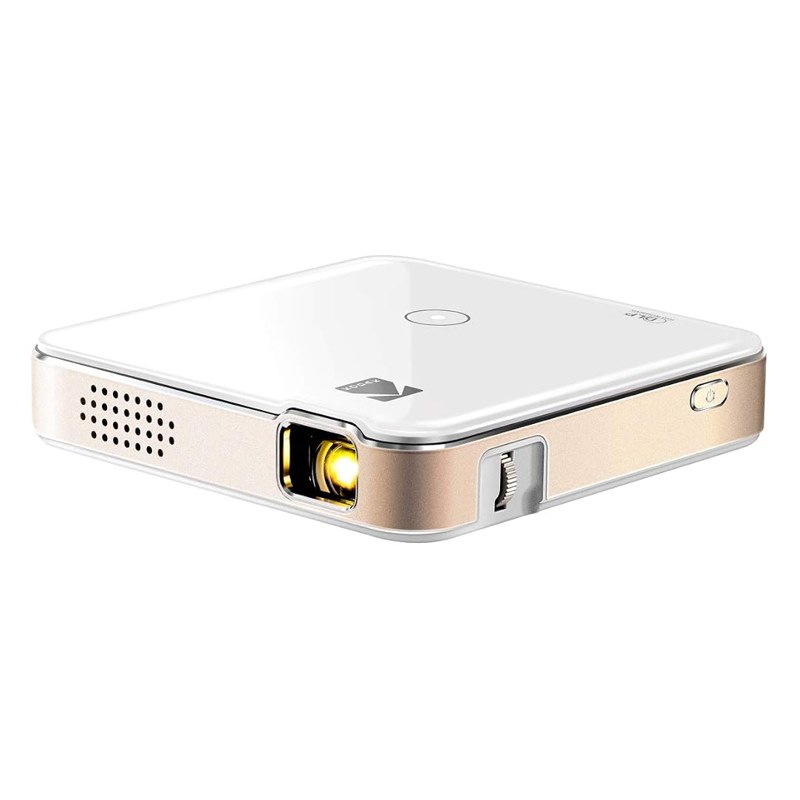
Kodak Luma 150

KODAK Luma 150

Not independently tested in sources we could read28/100 score
  • 60 ANSI lumens, 854×480 panel (listing)
  • Up to 2.5 hours on battery, AirPlay and Miracast mirroring (listing)
  • The listing says Netflix and Hulu can't be mirrored

Honest about its specs, very dim, and expensive for what it is. Fine for tracing in a dark room.

Data check: in our Oct 25, 2026 data, the HAPPRUN H1 scores higher (37 vs 28) and costs less.

Buy it if you want a pocket projector for tracing and already have the Kodak tripod kit in mind.
Skip it if you can spend a bit more; the Aurzen ZIP is brighter and sharper. See the Aurzen ZIP.

Sources: Amazon listing data, Oct 25, 2026.

Price band on Amazon, Oct 25, 2026: $100 to $250. Prices change daily.

Check today's price on Amazon

Three ways to get video from an iPhone

MethodWorks withNetflix and other paid appsNeeds
AirPlayRoku-based projectors such as the D1R Air; projectors that list AirPlay, like the BenQ GV50Use the app on the projector instead; it's licensedSame Wi-Fi network
CastingGoogle TV projectors (MoGo 4 Laser, BOOM Air, Elfin Flip)Apps with a cast button hand off to the projectorSame Wi-Fi network
HDMI adapterAny projector with HDMI inSome apps block video over adaptersMFi Lightning or USB-C to HDMI adapter
Screen mirroringBudget and pocket projectorsUsually blocked (Kodak and Aurzen listings say so)Projector's mirroring mode

Add-ons that matter here

A streaming stick

Roku Streaming Stick Plus (4K, HDR10+)

Budget projectors without licensed apps become easy with a stick. It also fixes the Netflix problem on Android and mirroring-only models.

What to look for: Check that the stick and your projector's power or USB ports don't block each other.

Under $100 on Amazon, Oct 25, 2026.

Check today's price on Amazon

A 65 W USB-C power bank

Nimble Champ Pro, 20,000 mAh, 65 W

USB-C projectors such as the D1R Air and BOOM Air won't start on a phone-sized bank. At 20,000 mAh, our calculator puts runtime around 1.4 hours for a 45 W projector.

What to look for: 65 W USB-C PD output, plus a 5A E-marker cable for USB-C projectors.

Under $100 on Amazon, Oct 25, 2026.

Check today's price on Amazon

An iPhone to HDMI adapter

MFi-certified Lightning and USB-C to HDMI adapter

For projectors without AirPlay, this is the wired route. Some streaming apps block video over adapters; a stick avoids that.

What to look for: MFi certification for Lightning, and a charging port so your phone doesn't die mid-movie.

Under $100 on Amazon, Oct 25, 2026.

Check today's price on Amazon

Questions people ask

How do I connect an iPhone to a mini projector?

Use AirPlay if the projector runs Roku (D1R Air) or lists AirPlay (BenQ GV50), cast from apps on Google TV models, or plug in an MFi Lightning or USB-C to HDMI adapter. Mirroring apps on budget projectors are the least reliable route.

Why does Netflix go black when I mirror my iPhone?

Copy protection blocks mirrored streams from many apps. Open Netflix on the projector itself (licensed apps) or plug in a streaming stick. The Aurzen ZIP and Kodak Luma 150 listings both warn about this.

Does the same setup work as a mini projector for iPad?

Yes. AirPlay and casting work the same from an iPad, and USB-C iPads use a USB-C to HDMI adapter. As a mini projector for iPad presentations, keep the iPad charging through the adapter's pass-through port.

Which adapter do I need for a newer iPhone?

iPhone 15 and later use USB-C; older models use Lightning. An MFi adapter that has both, plus a charging port, covers every iPhone in the house.

Does AirPlay work without Wi-Fi?

AirPlay needs both devices on the same network. Without Wi-Fi, use a wired adapter, or a projector like the Aurzen ZIP that creates its own direct mirroring link.

Can I keep the sound on my iPhone or AirPods?

With AirPlay the sound goes to the projector. For private listening, pair Bluetooth headphones to the projector itself if it supports audio out, as the HAPPRUN H1 and BOOM Air do.

Which mini projector with Netflix built in should I get?

Look for licensed Google TV, Roku or Samsung Tizen. In our ten that's the MoGo 4 Laser, Elfin Flip models, D1R Air (Roku), BenQ GV50 and BOOM Air. Projectors running plain Android usually can't install the official Netflix app; a $50 streaming stick fixes that.